Weathr
A small weather app with city search, shareable city pages, current conditions, 24-hour forecast, and 5-day forecast powered by OpenWeatherMap.
This project is part of #BUILD100, my challenge to build and document 100 software projects with AI-assisted workflows.
Weathr is a compact weather application built as one of the early artifacts in #BUILD100. The goal was not to create a polished weather product. The goal was to build a complete, deployable project and preserve the process: planning, prompt refinement, implementation decisions, screenshots, and the final result.
The app supports city search and shareable city pages powered by OpenWeatherMap. A city page shows current weather, a 24-hour forecast strip, and a 5-day forecast summary.
Summary
Weathr is a small-to-medium app built around one clear workflow:
- Search for a city.
- Select a matching OpenWeatherMap city.
- Open a stable
/city/[id]page. - View current conditions, the next 24 hours, and a 5-day forecast.
The most important architectural choice was to avoid live geocoding for search. Instead, the app uses OpenWeatherMap's bulk city list, trims it into a local data/cities.json, and searches against that local index. This gives the app stable city IDs and shareable URLs.
Walkthrough
The home page is intentionally simple: a search interface and a route into a city page. Search calls a local /api/search route, which queries the generated city index instead of calling OpenWeatherMap on every keystroke.
When a city is selected, the app navigates to /city/[id]. The city page resolves the city locally, then fetches current weather and forecast data by latitude and longitude. The forecast response is reused for both the 24-hour strip and the 5-day grouped forecast.
The project is intentionally narrow. Features like favorites, geolocation, unit toggles, maps, and alerts were left out of v1.
AI Workflow
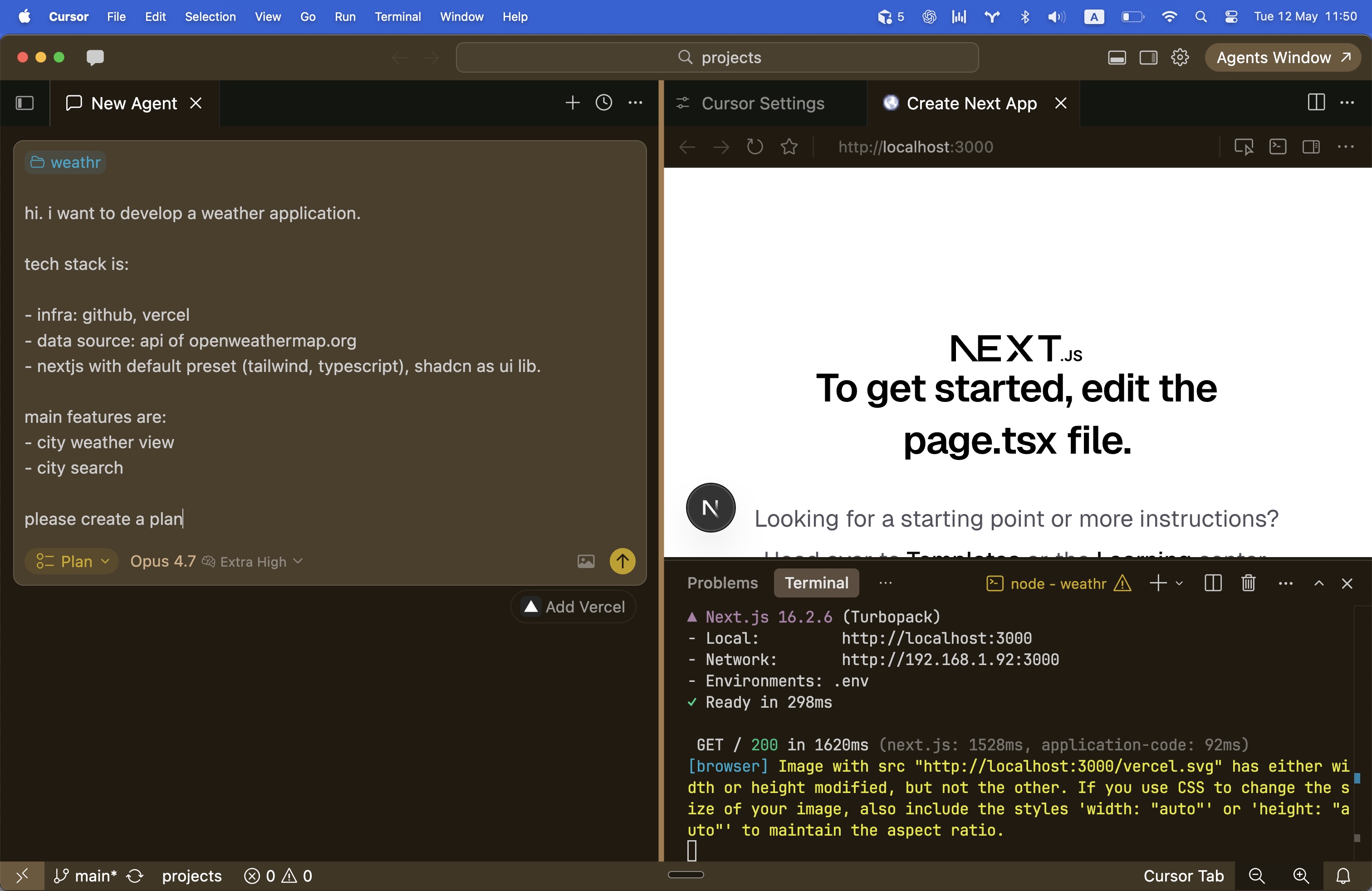
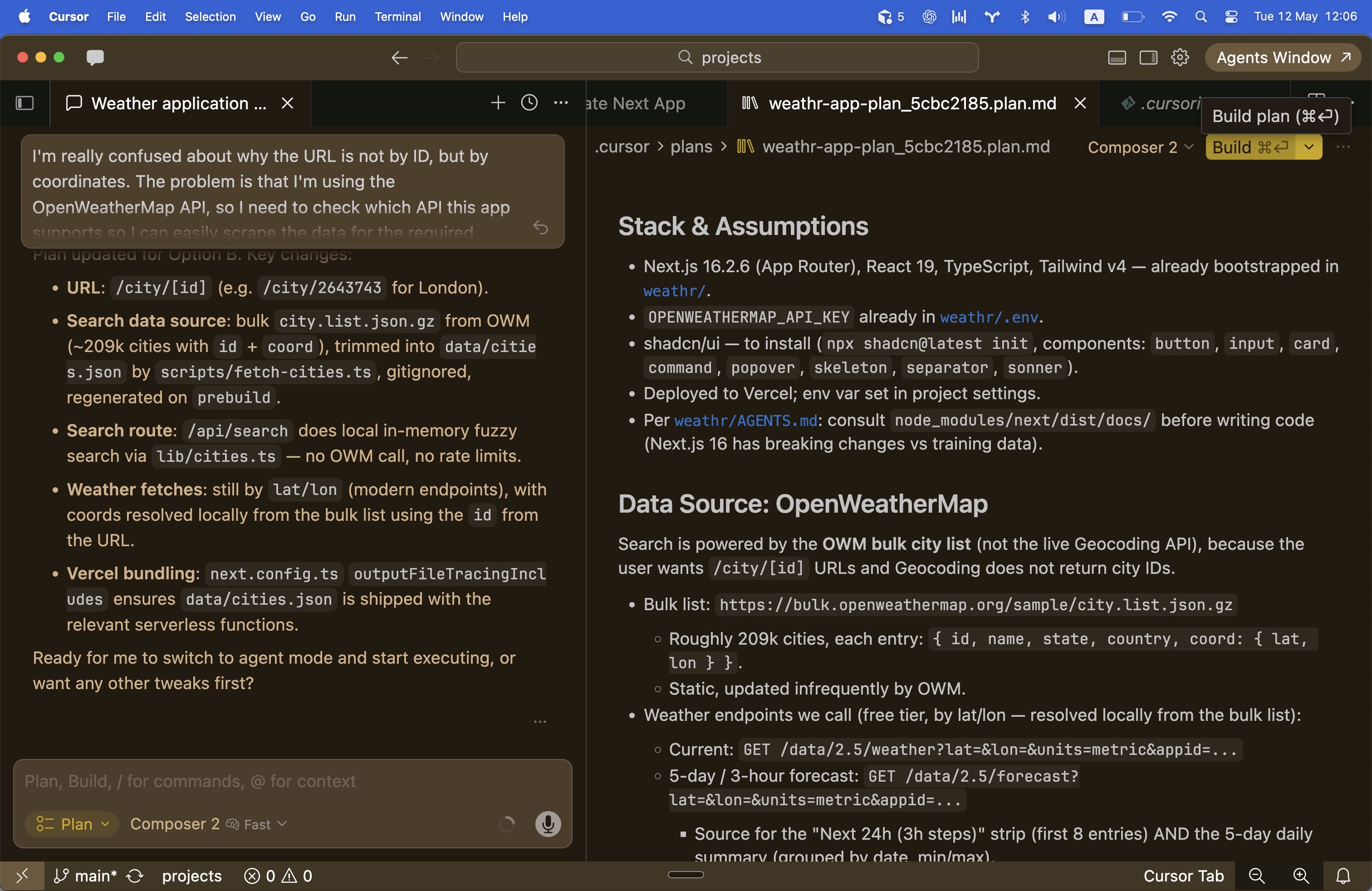
This project started in Cursor planning mode. The first step was not implementation, but turning a vague app idea into a concrete build plan.
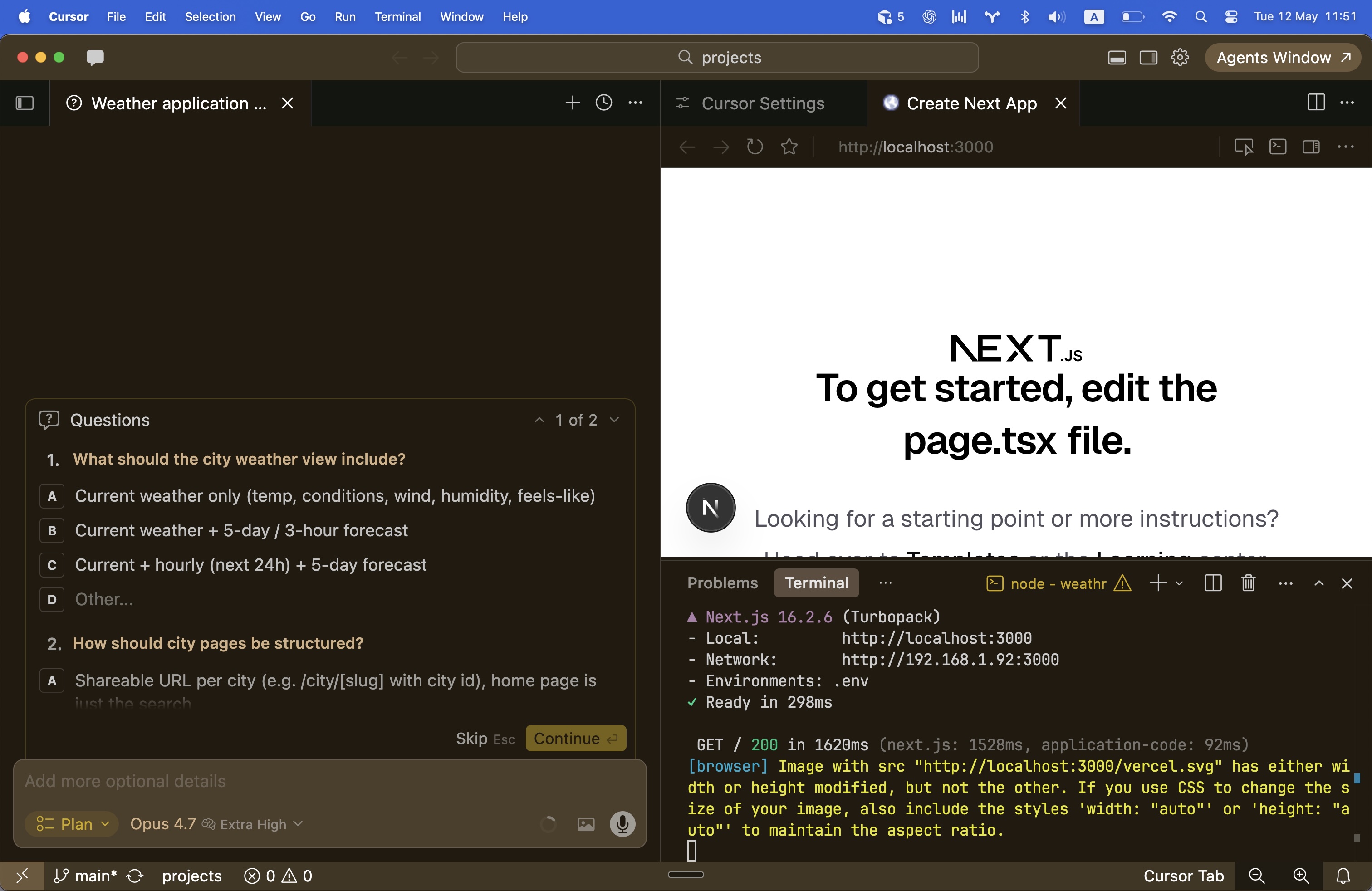
The planning conversation went through a few stages:
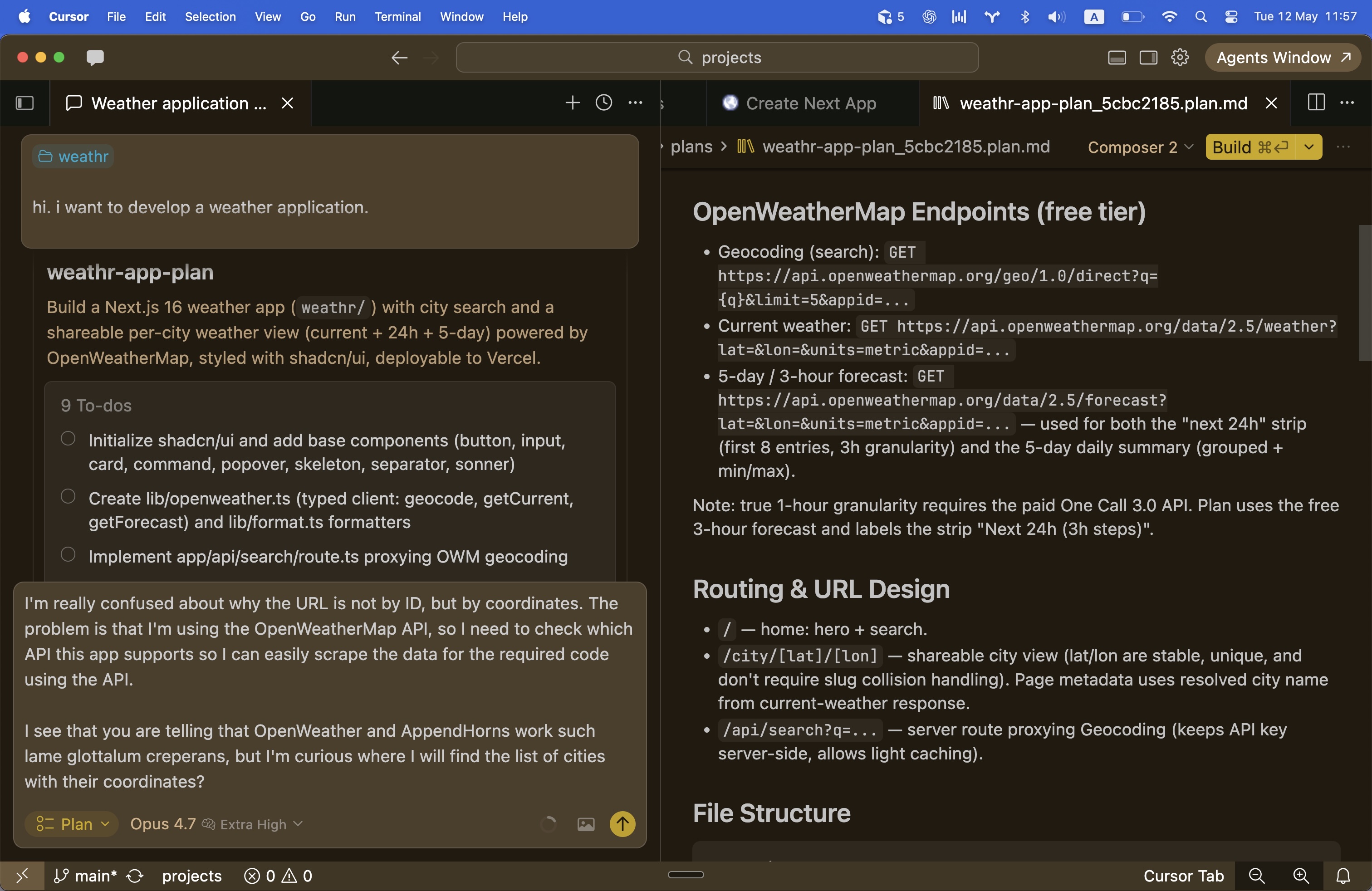
- initial confusion around the right OpenWeatherMap data source;
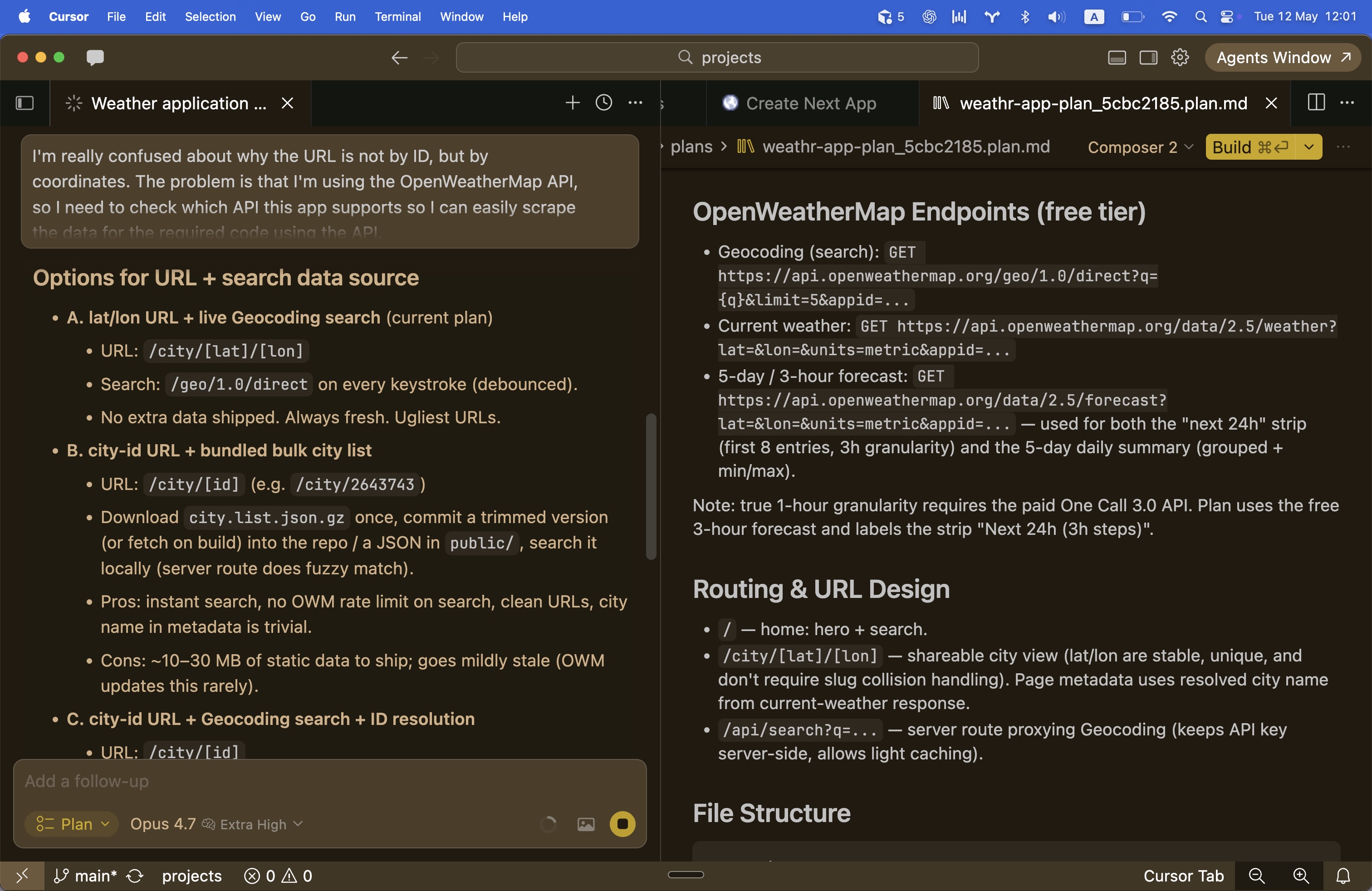
- clarification that city URLs should be based on city IDs;
- refinement toward a local city-list pipeline;
- a concrete implementation plan with files, routes, components, and deployment notes.
The final prompt produced a plan that was specific enough to implement from, but still small enough to keep the project focused.
Planning Artifacts
These screenshots capture the planning phase and prompt refinement process.
Result
Final Prompt
The final planning prompt is preserved as an artifact:
Learnings
- Good AI-assisted work still needs clear constraints. The app became much easier to reason about after the data source and URL model were explicit.
- Planning mode was useful because it exposed ambiguity before implementation started.
- Local generated data can be a reasonable tradeoff for a small app when it improves routing stability and avoids unnecessary API calls.
- The best output from AI was not just code. It was a better implementation shape: routes, data flow, component boundaries, and deployment notes.
Future Ideas
- Add recent searches or favorites.
- Add geolocation as an optional entry point.
- Add a Celsius/Fahrenheit toggle.
- Add better empty/error states around API limits.
- Turn the city search pipeline into a reusable pattern for similar lookup-based apps.